Disclosure: OnlyVPNGuide.com may earn a commission if you purchase through links on this page, at no extra cost to you. This never affects our independent testing or opinions. Read our full Affiliate Disclosure.
Quick Answer
Proton VPN Free is the best free VPN for most people in 2026 because it offers unlimited data, no ads, and a clear no-logs promise. Windscribe Free is the stronger choice for multiple devices, while PrivadoVPN Free suits occasional streaming. Every free plan has trade-offs, so verify limits before installing.
Free VPNs can be useful, but “free” rarely means unrestricted. The safest options use their no-cost tier as an introduction to a paid product rather than funding the service through invasive tracking. Even reputable free plans may restrict data, locations, speed, simultaneous connections, streaming access, or support.
This guide compares the strongest free tiers from the providers you specified. The first six rankings are distinct services. Entries seven through ten are clearly labeled platform or use-case configurations of those same services, not additional VPN companies. That keeps the list honest while answering common searches for a free VPN for PC, Android, iPhone, and multi-device travel.
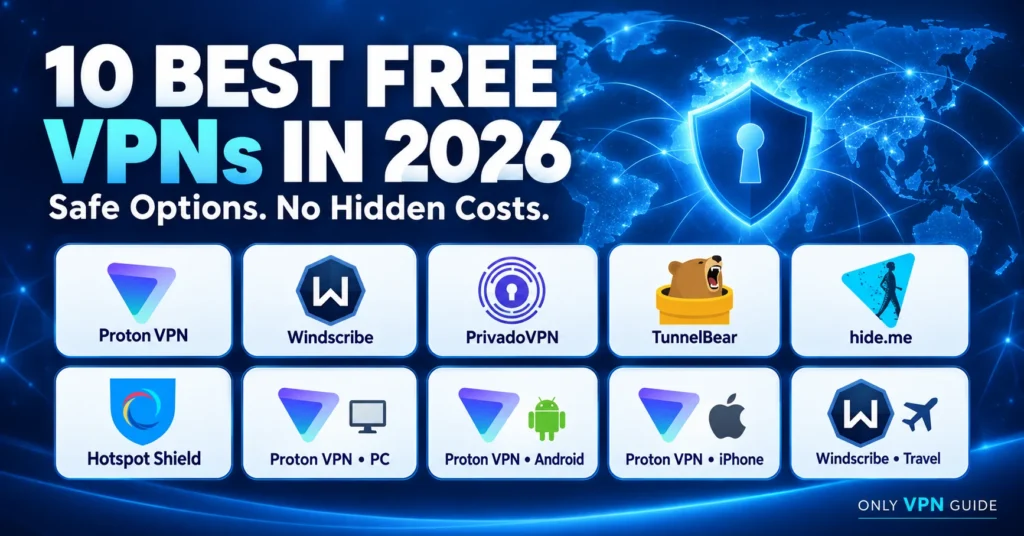
Best Free VPNs in 2026 at a Glance
| Rank | VPN or configuration | Data allowance | Free locations | Devices | Best for |
| 1 | Proton VPN Free | Unlimited | Limited; verify current list | 1 at a time | Best overall |
| 2 | Windscribe Free | 10GB/month with confirmed email | 10 countries | Unlimited installs | Features and multiple devices |
| 3 | PrivadoVPN Free | 10GB full-speed/month | 12–13 locations; verify | Verify current limit | Occasional streaming |
| 4 | TunnelBear Free | 2GB/month | Broad network access | Verify current limit | Beginners and light browsing |
| 5 | hide.me Free | Advertised unlimited; restricted speed | 7–8 locations; verify | 1 connection | Unlimited-data alternative |
| 6 | Hotspot Shield Basic | Advertised unlimited; verify in app | 1 virtual location | 1 device | Simple public Wi-Fi use |
| 7 | Proton VPN Free for PC | Unlimited | Limited | 1 at a time | Windows protection |
| 8 | Proton VPN Free for Android | Unlimited | Limited | 1 at a time | Android phones and tablets |
| 9 | Proton VPN Free for iPhone | Unlimited | Limited | 1 at a time | iPhone and iPad |
| 10 | Windscribe Free for travel | 10GB/month with confirmed email | 10 countries | Unlimited installs | Several personal devices |
Important: “Unlimited free VPN” normally describes data volume only. It does not guarantee unlimited speed, locations, devices, streaming, or customer support. Free-plan terms change frequently. Review the provider’s current app listing, pricing page, and privacy policy before publication and installation.
How We Chose These Free VPNs
We prioritized a sustainable business model, a readable privacy policy, modern encryption, leak protection, usable apps, and limits that are disclosed clearly. We also considered whether the free tier is suitable for ordinary browsing rather than merely a short trial.
This is an editorial comparison based on provider documentation and security-relevant criteria—not a claim that OnlyVPNGuide performed fresh laboratory tests. before purchasing, the editor should run repeatable checks on the exact app versions being recommended: baseline and VPN speed tests at several times of day, DNS/IPv6/WebRTC leak tests, kill-switch interruption tests, malware scans of installers, and streaming sign-in checks using accounts the tester is authorized to access.
Free plans are particularly volatile. A provider can change a data allowance, server list, device limit, or ad policy without changing the core product name. Every item marked Not independently verified by OnlyVPNGuide should be checked on the publication date and recorded in the editorial test log.
1. Proton VPN Free — Best Free VPN Overall
Proton VPN Free takes first place because its central limitation is server choice rather than data volume. Proton’s official free-plan pages advertise no data limit, no ads, and no activity logs. That combination makes it practical for people who want everyday protection without watching a monthly meter.
Features and limits
The free apps cover Windows, macOS, Linux, Android, iOS, and other supported platforms. Proton says the plan has no artificial data or speed cap, although real-world speed still depends on free-server load, distance, routing, device performance, and local internet conditions. The free tier supports one active connection at a time and offers fewer locations and premium features than paid plans.
Proton’s official pages currently present inconsistent free-location lists. Some pages name the United States, Netherlands, and Japan, while a mobile page references additional countries.
Security, privacy, and performance
Proton’s no-ads, no-activity-logs positioning reduces two common concerns with free VPNs. Its apps include established VPN protocols and security controls, but the exact feature set can vary by operating system and plan. Verify that the kill switch is enabled and run leak tests on each platform before recommending a default configuration.
Unlimited data makes Proton a better fit for long browsing sessions, software updates, and routine phone use than a 2GB or 10GB plan. It is not automatically the fastest free VPN server, however. Free endpoints can become busy, and free users have less control over routing. Streaming availability is not guaranteed and can change by service, region, and day.
Pros
- Unlimited data with no advertising on the free tier
- Clear privacy-led positioning and broad app support
- A sensible choice for ongoing browsing and public Wi-Fi
Cons
- One active free connection at a time
- Limited server choice and less location control
- Premium streaming and advanced features may require payment
Verdict: Proton VPN Free is the best overall VPN for users who value unlimited data and a privacy-focused free tier more than a large server list. It is especially suitable for one primary device at a time.
Official references: Proton VPN free plan, mobile free VPN, and free servers.
2. Windscribe Free — Best Free VPN for Features and Multiple Devices
Windscribe Free is unusually flexible for a no-cost plan. Its official pages advertise 10GB of monthly data after email confirmation, 2GB without confirmation, access in 10 countries, and unlimited device installations. That makes it attractive for users who need occasional protection across a laptop, phone, and tablet.
Features and limits
The desktop app includes protocol choices and Windscribe’s firewall-style leak protection. Browser extensions are also available, but an extension protects browser traffic only; it is not the same as a device-wide VPN. Use the full app when other programs, launchers, or background services also need protection.
Ten gigabytes is generous for light browsing, messaging, travel, or a few video sessions, but sustained high-definition streaming and large downloads can exhaust it quickly. The allowance resets monthly and does not make the plan unlimited. Confirm the current email requirement, location list, and any promotional bonuses before publication.
Security, privacy, and performance
Windscribe offers more configuration than many free competitors, which helps experienced users select a suitable protocol or connection mode. It can also add complexity for beginners. The editorial test should check default protocol behavior, firewall recovery after sleep, IPv6 and DNS leakage, and whether each advertised location connects reliably.
Performance will vary by location and congestion. The broad device policy is useful, but all those devices draw from the same account allowance. Streaming can work intermittently; it should be described as a bonus, not a guaranteed free feature.
Pros
- 10GB per month with a confirmed email
- Unlimited device installations under current free-plan messaging
- Useful desktop controls and multiple free countries
Cons
- Monthly data cap
- Email confirmation needed for the larger allowance
- Browser extension does not protect the whole device
Verdict: Windscribe Free offers the best value for people with several devices who can live within a 10GB monthly pool. It is a strong travel or backup VPN, but not ideal for continuous video.
Official references: Windscribe free features, Windows app, and VPN overview.
3. PrivadoVPN Free — Best for Occasional Streaming
PrivadoVPN Free combines a 10GB monthly full-speed allowance with a useful selection of free locations. Its current public pages reference 13 server locations, while an older support comparison names 12 cities and one simultaneous connection. The discrepancy is small but important: mark the location and device figures Not independently verified by OnlyVPNGuide.
Features and limits
The free tier supports common platforms and established protocols including WireGuard, OpenVPN, and IKEv2 according to PrivadoVPN’s support material. After the 10GB full-speed allowance, older documentation says service may continue at a reduced 1 Mbps, but the current app behavior and eligibility should be verified rather than assumed.
PrivadoVPN’s present marketing page uses “unlimited devices,” while its support article says one simultaneous free connection. Those statements may refer to installations versus concurrent use, or they may reflect a plan change. The published recommendation should not resolve the conflict without testing the current account.
Security, privacy, and performance
The location choice and full-speed pool can make PrivadoVPN useful for short streaming sessions or travel. No free provider can guarantee access to a particular streaming catalog, and bypassing regional restrictions may violate a service’s terms. Test only with legitimate subscriptions and describe results as a dated snapshot.
The 10GB limit also suits ordinary browsing and moderate mobile use. Users should enable the kill switch where available, confirm DNS behavior, and avoid assuming that the app’s “connected” badge alone proves leak protection.
Pros
- 10GB of full-speed data per month
- A relatively useful range of free locations
- Modern protocol options on supported apps
Cons
- Conflicting official device-limit information
- Streaming reliability can change without notice
- Post-cap speed and availability require verification
Verdict: PrivadoVPN Free is a practical pick for occasional video and location flexibility, provided the user can work within the full-speed allowance. Verify its current concurrent-device rule before purchasing.
Official references: PrivadoVPN Free, current plan overview, and free versus paid support article.
4. TunnelBear Free — Best for Beginners
TunnelBear Free emphasizes simplicity. Its official support pages state that free users receive 2GB per month, with no rollover, and use the same core performance infrastructure as paid users. The small allowance is the defining trade-off: it is enough for light browsing and emergency Wi-Fi protection, not regular streaming.
Features and limits
The approachable apps make connection choices easy for first-time users. TunnelBear also documents VigilantBear, its kill-switch-style feature, and GhostBear, an obfuscation option designed for difficult networks. Feature availability varies by platform, so the final article should confirm controls on Windows, Android, and iOS separately.
Two gigabytes can disappear quickly during video calls, cloud backups, automatic app updates, or social feeds with autoplay. Users should pause large synchronization jobs and consider setting the operating system connection as metered.
Security, privacy, and performance
TunnelBear’s free and paid accounts are differentiated primarily by data and support rather than a deliberately slower network, according to its help center. That does not promise a particular speed; distance, server load, and local conditions still matter. Run a baseline comparison before making performance claims.
Its clear interface helps reduce configuration mistakes, which can be a real security benefit for beginners. Still, a simple interface does not replace leak and kill-switch testing.
Pros
- Friendly apps with very little setup friction
- Core security features available to free users
- Free plan uses the same performance infrastructure
Cons
- Only 2GB per month and no rollover
- Unsuitable for sustained streaming or downloads
- Platform feature differences need checking
Verdict: TunnelBear Free is the safest free VPN choice here for a nervous beginner who needs short, occasional sessions. The 2GB cap prevents it from being an everyday video VPN.
Official references: free account changes, free versus paid accounts, and free data allowance.
5. hide.me Free — Best Unlimited-Data Alternative
hide.me’s current pricing page advertises unlimited data on the free tier, restricted speeds, one connection, and eight locations. A March 2026 help article lists seven free locations, while another company page has referenced a 10GB allowance. Because these official materials conflict, the data and location claims require
Features and limits
If the current unlimited-data offer applies in the user’s region, hide.me is a useful alternative to Proton for long browsing sessions. Restricted speed and a small location set are material compromises. The plan is designed for one active connection, and premium features are reserved for paid accounts.
hide.me advertises no ads and an audited no-logs policy. Those are positive signals, but editors should link the current audit scope and date if they make a detailed audit claim. Never imply that any VPN makes a user anonymous.
Security, privacy, and performance
A restricted-speed connection may still be adequate for email, research, and standard-definition media, but it can struggle with large transfers. Test the free tier during peak and off-peak hours and report medians rather than a single best result. Confirm whether the restriction is a fixed cap or congestion-based behavior.
Check the kill switch, protocol selection, and reconnection after Wi-Fi changes on each supported operating system. Mobile sleep behavior deserves particular attention because a dropped tunnel can expose traffic without an obvious warning.
Pros
- Current pricing advertises unlimited free data
- No-ads and no-logs positioning
- Useful alternative when a monthly cap is unacceptable
Cons
- Restricted speeds on the free plan
- Official pages disagree on limits and location count
- One simultaneous free connection
Verdict: hide.me Free is worth considering when unlimited data matters more than speed, but its current plan details must be verified carefully. The conflicting official pages should remain disclosed until reconciled.
Official references: hide.me Free, pricing, and free versus paid help.
6. Hotspot Shield Basic — Best for Simple Public Wi-Fi Use
Hotspot Shield Basic offers a straightforward free connection for one device. Its current plan comparison advertises unlimited data, support for Windows, macOS, iOS, and Android, one virtual location, advertising, and self-service support. Other company pages and older help material disagree on ads and data limits, so confirm the actual platform experience.
Features and limits
The Basic plan favors one-click operation over location choice. One virtual location can be enough to encrypt traffic on a café or airport network, but it offers little routing flexibility. Free users should also expect fewer advanced tools and lower support priority than premium subscribers.
Advertising changes the privacy calculation. Before recommending the plan, review the current privacy policy and in-app consent flow, note what data supports ads, and separate provider advertising from third-party tracking. Older references to 500MB per day should not be presented as current unless the installed app still enforces that limit.
Security, privacy, and performance
Speed can vary significantly when all free users share a narrow location pool. Test connection time, sustained throughput, DNS behavior, and tunnel recovery. A basic public-Wi-Fi use case is more realistic than promising dependable streaming or gaming.
The service may suit someone who wants a recognizable app for brief sessions and accepts ads. Users who prefer an ad-free free VPN should start with Proton, Windscribe, or another verified option in this list.
Pros
- Simple apps across major desktop and mobile platforms
- Current comparison page advertises unlimited data
- Easy fit for brief public-network sessions
Cons
- One device and one virtual location
- Advertising on the current Basic comparison
- Conflicting company documentation requires extra caution
Verdict: Hotspot Shield Basic can handle basic public-Wi-Fi protection, but it ranks below the leaders because its published free-plan terms are inconsistent. Confirm data and advertising behavior on the exact platform.
Official references: Hotspot Shield plan comparison, free VPN page, and older Basic support article.
7. Proton VPN Free for PC — Best Free VPN for PC
This is a Windows-focused configuration of our number-one service, not a seventh provider. Proton VPN Free for PC is suitable for users who want device-wide protection with no monthly data meter. Install the official Windows app, enable the kill switch, and decide whether it should start and connect automatically on untrusted networks.
Windows users should test DNS and IPv6 leakage, sleep/wake recovery, and behavior when switching between Ethernet and Wi-Fi. Exclude the VPN app from aggressive battery or security-software restrictions only when Proton’s official guidance requires it. Download installers from the provider or an authenticated app store, never a third-party mirror.
Best for: A Windows laptop used for daily browsing, travel, or remote work where unlimited data matters more than choosing many countries.
Official reference: Proton VPN Free for PC.
8. Proton VPN Free for Android — Best Free VPN for Android
The Android configuration uses the same Proton free account and one-connection limit. It is a sensible choice for protecting browser and app traffic on public Wi-Fi without consuming a 10GB VPN allowance. Install from Proton’s official listing and review Android’s VPN permission prompt before connecting.
For stronger continuity, enable Android’s always-on VPN and “block connections without VPN” only after confirming that essential apps, captive portals, calls, and local devices still work. Battery optimization can stop background processes, so test the tunnel after the phone sleeps and after moving between mobile data and Wi-Fi.
Best for: An Android phone or tablet that needs routine, unlimited-data protection. Remember that one active connection means disconnecting another Proton free device first.
Official reference: Proton VPN Free for Android.
9. Proton VPN Free for iPhone — Best Free VPN for iPhone
This iOS configuration is our preferred free VPN for iPhone because Proton advertises unlimited bandwidth, no ads, and no activity logs across its mobile free tier. The app protects device traffic rather than only Safari, subject to iOS network behavior and the VPN settings the user enables.
Install from the official App Store listing, allow the VPN configuration, and verify that the VPN indicator returns after sleep, network changes, and temporary loss of signal. iOS background behavior can differ from Android, so do not copy test results between platforms. Confirm the current free-server list in the app.
Best for: iPhone and iPad users who want an ad-free free VPN without a monthly data cap. Streaming and manual country choice remain secondary considerations.
Official reference: Proton VPN Free for iOS.
10. Windscribe Free for Multi-Device Travel — Best 10GB Travel Setup
This final entry is a use-case configuration of Windscribe Free. Its current unlimited-install policy makes it convenient to prepare a personal laptop, phone, and tablet before a trip, while the 10GB monthly account allowance encourages selective use on unfamiliar networks.
Install the full VPN apps at home, sign in, update them, and save recovery details before travel. Do not rely on a browser extension to cover non-browser apps. Keep automatic cloud backups and system updates off the capped connection when possible. In restrictive networks or jurisdictions, research local law and provider availability before departure; a VPN does not exempt anyone from local rules.
Best for: Travelers carrying several personal devices who need occasional encrypted sessions and can monitor a shared 10GB allowance. [
Official reference: Windscribe free features.
Free VPN Limitations and Hidden Costs to Check
An affordable infrastructure still costs money to operate. Reputable providers usually fund free accounts through paid subscriptions, but users should understand the trade-offs before choosing a free VPN service.
- Data and speed limits: A plan may offer unlimited data but restrict throughput, or provide full speed only for the first 10GB.
- Location and congestion limits: Fewer endpoints can mean longer routes and busier servers. “Fastest” results are temporary, not universal.
- Device wording: Unlimited installations may still allow only one simultaneous connection. Read both claims carefully.
- Advertising and analytics: Check the privacy policy and consent screen. Avoid services that obscure how they monetize free use.
- Streaming access: Free endpoints are easily blocked. Do not buy a subscription or recommend a service solely from one successful test.
- Support: Free plans commonly receive knowledge-base access rather than live help.
- Upgrade pressure: Prompts are normal, but dark patterns, forced notifications, or unclear cancellation terms are warning signs.
Avoid an unknown free VPN that has no identifiable operator, vague jurisdiction, copied privacy language, excessive mobile permissions, or a history of bundling unwanted software. An app-store rating alone is not a security review.
How to Choose the Safest Free VPN
Start with the provider’s privacy policy and ownership. Look for a clear explanation of connection metadata, retention, legal jurisdiction, and third parties. Independent audits are helpful only when the scope, date, auditor, and remediation are public; an old or narrow audit is not a blanket guarantee.
Next, inspect the actual app. Prefer modern protocols, a kill switch or system-level always-on control, transparent DNS handling, signed installers, and updates delivered through official channels. Check whether the mobile app asks for permissions unrelated to a VPN’s purpose.
Finally, match the limitation to your use. Proton’s unlimited data is strong for one main device. Windscribe offers better multi-device flexibility within 10GB. TunnelBear is easy but very limited. PrivadoVPN can suit short streaming sessions. hide.me and Hotspot Shield require extra verification because their current public documents conflict.
No VPN creates anonymity or makes unsafe behavior safe. Websites can still identify users through logins, cookies, browser fingerprints, payment records, or malware. Use HTTPS, software updates, multifactor authentication, and cautious browsing alongside a VPN.
Free VPN Speed and Safety Test Checklist
For a defensible 2026 update, record the date, app version, operating system, device, network, baseline ISP result, selected location, protocol, and time of day. Run multiple trials rather than publishing the best number.
- Measure baseline download, upload, latency, and jitter without the VPN.
- Run three tests on a nearby free server and report the median.
- Repeat on a distant free location if manual selection is available.
- Check DNS, IPv6, and WebRTC exposure using reputable test tools.
- Interrupt the network to confirm kill-switch or always-on behavior.
- Test sleep/wake and Wi-Fi-to-mobile handoffs on phones.
- Scan the official installer and confirm its digital signature.
- Verify data, devices, ads, locations, and streaming on the current free account.
Do not describe a provider as the fastest or safest free VPN solely from marketing language. Those conclusions should follow documented, reproducible testing and policy review.
Frequently Asked Questions
Proton VPN Free is the best choice for most users because it advertises unlimited data, no ads, and no activity logs. Windscribe Free is better for multiple devices but has a 10GB monthly allowance. The right choice depends on location availability, device count, speed, and the current free-plan terms.
Proton VPN Free is the clearest unlimited-data recommendation in this list. hide.me and Hotspot Shield also advertise unlimited free data on current pages, but their documentation contains conflicting details that should be verified. Unlimited data does not mean unlimited speed, locations, connections, or streaming access.
Proton VPN Free is our top free VPN for PC because it has no monthly data cap and provides a device-wide Windows app. Windscribe is a good alternative for users who want more location choice and can stay within 10GB. Always download from the official provider and enable leak protection.
Proton VPN Free is the leading Android option here for routine use without a data meter. Windscribe Free suits people who spread a 10GB allowance across devices. On Android, test always-on VPN, battery optimization, mobile-to-Wi-Fi handoffs, and “block connections without VPN” before relying on the setup.
Proton VPN Free is our preferred iPhone option because its mobile free tier advertises unlimited bandwidth, no ads, and no activity logs. Install the official iOS app, verify reconnection after sleep and network changes, and remember that the free account permits only one active connection at a time.
Sometimes, but access is inconsistent and never guaranteed. PrivadoVPN’s 10GB full-speed pool can suit occasional testing, while Windscribe may work on selected routes. Streaming providers block shared VPN addresses frequently. Use a legitimate subscription, follow the platform’s terms, and treat results as a dated snapshot.
Final Verdict
Proton VPN Free is the best free VPN in 2026 for most people because unlimited data, no ads, and a privacy-focused design create the fewest everyday compromises. Choose Windscribe for several devices, PrivadoVPN for occasional streaming, TunnelBear for simplicity, or hide.me when an unlimited-data alternative is more important than speed.
Before downloading, verify every marked limit against the current app and official terms. Then enable the kill switch or operating-system equivalent and run a basic leak test.
Affiliate disclosure: OnlyVPNGuide.com may earn a commission from qualifying purchases made through PLACEHOLDER links, at no extra cost to you.